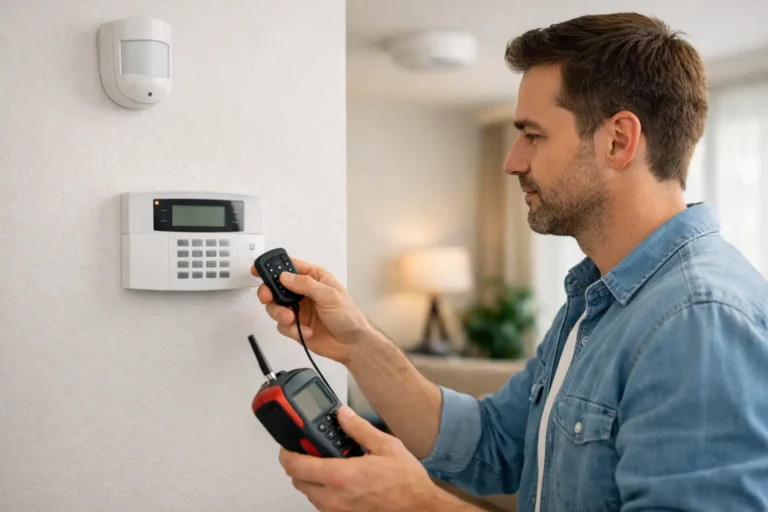
A security system is most valuable on the day you need it. Knowing how to test alarm system equipment before that day helps you catch a weak battery, an offline camera, a stuck door sensor, or a notification setting that needs attention. A few planned minutes can protect the confidence you place in your system every day.
For monitored systems, testing should be deliberate, not a surprise. Your monitoring center needs to know when an alarm is a scheduled test so your family, employees, and local first responders are not needlessly disrupted.
Start With Your Monitoring Center
Before you activate a test alarm, call your monitoring provider and ask to place your account on test mode. Be prepared to verify the account holder name, password or passcode, and the expected testing window. Confirm whether the system will send signals during this period and whether you need to call back when the test is complete.
This step matters even if you plan to test only one door or motion detector. A properly working system may transmit an alarm signal immediately, and a monitoring operator cannot know it is a test unless the account has been placed in test mode.
If your system is professionally monitored, ask how often your provider recommends a full test. Many homeowners choose a monthly check of basic functions and a more thorough review after a power outage, renovation, extended travel, or equipment upgrade. Businesses may need a more structured schedule, especially when several employees use codes, doors, and access-controlled areas.
How to Test an Alarm System Step by Step
Begin by checking the control panel or mobile app. It should show that the system is ready to arm, with no low-battery, communication, sensor, or tamper messages. Do not ignore a trouble notice simply because the system still arms. That message is often the first indication that a component needs service.
Next, arm the system in the mode you intend to test. For a home, that may be away mode for motion sensors or stay mode for perimeter protection. For a business, it may mean testing a protected entry door after hours. Keep everyone on the property informed, including family members, employees, and anyone who may enter during the test.
Open one protected door or window at a time. Wait for the panel or app to identify the correct sensor. Then close it and confirm that the sensor restores to normal. Testing devices one by one makes it easier to find the source of a problem than opening several doors at once.
Test motion sensors only when the system is armed in a mode that uses them. Walk through the protected area as you normally would. If you have pets, remember that pet-friendly motion detection reduces false alarms but does not make every sensor immune to every pet behavior. A large dog jumping on furniture, multiple pets moving together, or a sensor pointed toward stairs can still affect performance.
Allow the alarm to sound briefly if your monitoring center has confirmed test mode. Listen for the siren and check that it can be heard where it matters most, such as bedrooms, a detached garage, a warehouse office, or a rear portion of your building. Then disarm the system with an authorized code and confirm that the panel returns to a normal status.
Finally, call the monitoring center to verify the signals they received. This is the part many people skip. A loud local siren does not always prove that alarm signals reached the monitoring station. Confirm the time, device, and alarm type received, then ask the operator to remove the account from test mode.
Check Remote Alerts and Smart Controls
Modern security systems can send alerts to your phone, let you arm or disarm remotely, and show activity from connected cameras or smart devices. These features are helpful only when the right people receive the right information.
During your test, verify that the app reports the correct event and that push notifications arrive on the phones you rely on. Check that your contact information is current, including phone numbers, email addresses, and authorized users. If a former employee, tenant, caregiver, or contractor still has a user code or app access, remove it promptly.
For business owners, it is also wise to confirm that opening and closing notifications are going to the appropriate manager. These reports can help you spot an unexpected opening, a missed closing, or a door that was left unsecured. The right settings depend on your hours and staffing, so avoid creating so many alerts that important ones get ignored.
Test Cameras Separately From the Alarm
Security cameras add valuable visibility, but their performance is different from an intrusion alarm. Open your camera app and view live video from each device. Check image clarity, nighttime visibility, recording playback, and motion-triggered clips where applicable.
Walk through areas that matter most: the front entrance, driveway, delivery area, cash-handling location, back door, or equipment yard. Look for new obstructions such as growing landscaping, seasonal decorations, parked vehicles, spider webs, or glare from a recently installed light. A camera may be online yet still provide a poor view of the area you need to see.
Do not assume every camera should generate an alert for every movement. A camera facing a busy street may need a more limited activity zone, while a camera at a quiet side gate may warrant immediate notifications. Adjustments should balance awareness with practicality.
Do Not Forget Power and Communication
An alarm system needs more than sensors to work. It also depends on power and a reliable path to communicate with the monitoring center. Check the panel for battery warnings and replace batteries with the correct type when needed. Do not leave a low-battery alert unresolved for weeks, particularly during hurricane season or periods when outages are more likely.
Ask your provider how your system communicates. Some systems use cellular communication, internet service, or a combination of paths. Internet-connected devices may go offline after a router replacement, password change, or power interruption. If you recently changed internet providers or updated your network equipment, test your app, cameras, and alarm communication afterward.
Avoid pulling wires, disconnecting the panel battery, or intentionally cutting power unless a trained technician has instructed you to do so. Those actions can create trouble conditions, damage equipment, or leave the property without protection.
Smoke, Carbon Monoxide, and Panic Devices Need Careful Testing
If your system includes monitored smoke detectors, carbon monoxide detectors, medical alert buttons, or panic devices, follow the device instructions and your provider’s testing procedure. These are life-safety components, not simply accessories.
Never test a smoke detector with an open flame, burning paper, or vehicle exhaust. Use the built-in test button or an approved testing method. Carbon monoxide detectors also require the manufacturer’s recommended procedure. If a life-safety device is expired, chirping, damaged, painted over, or repeatedly showing a trouble condition, arrange service rather than assuming a reset solved the issue.
Panic buttons should be tested only with advance coordination from the monitoring center. The same applies to duress codes and other emergency features used in commercial settings.
When a Test Reveals a Problem
A failed test is useful information. Write down the device name, location, panel message, and time of the event. That record helps support staff diagnose whether the issue is a battery, sensor alignment, communication path, programming setting, or equipment concern.
Simple items such as a loose window sensor, depleted battery, or app notification setting may be easy to address. Repeated trouble messages, unreliable communication, damaged devices, and systems that no longer match the way you use the property deserve professional attention. A growing family, a new addition, a remodeled office, or changed business hours can all create gaps in an older security plan.
Alarm Center Security has helped Louisiana homes and businesses protect what matters since 1985. If your test raises questions, local support can help you verify system performance and recommend practical repairs or upgrades without leaving you to sort through the technology alone.
Choose a regular date for testing, such as the first week of each month, and make it part of your property’s routine. The peace of mind comes from more than seeing a keypad light up – it comes from knowing your alarm, notifications, and monitoring response are ready when your property needs them.