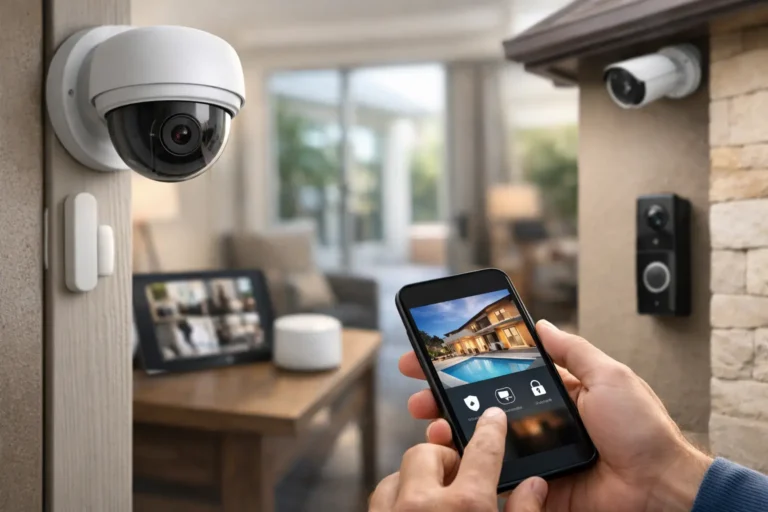

A front door that locks itself after the morning rush. A phone alert when the kids arrive home. Cameras that show you what is happening at your property before you pull into the driveway. These are practical ways to automate home security, not complicated technology projects reserved for high-tech homes.
For Louisiana homeowners, automation can add meaningful convenience while helping you stay connected to the people and property you care about. The right system brings security devices, smart controls, and professional monitoring into one easy-to-manage plan. The key is choosing features that solve real needs rather than adding gadgets that create more work.
Start With the Security Plan, Not the Devices
The best home automation systems begin with a clear picture of your home and daily routine. A family with school-age children may prioritize alerts, door locks, and a video doorbell. Someone who travels for work may want cameras, remote arming, and professional monitoring. A homeowner with a detached garage, pool area, or large property may need outdoor detection and camera coverage in places that are easy to overlook.
Start by identifying the entry points you use most, the areas that deserve visibility, and the moments when you would like your home to respond automatically. Think about leaving for work, going to bed, arriving home, accepting a delivery, or checking on the house during a storm or vacation.
Professional system design matters here. Device placement, camera angles, Wi-Fi conditions, power options, and the layout of your home all affect how well automation works. A professionally installed system avoids the common problem of buying individual devices that do not communicate reliably or leave important areas unprotected.
How to Automate Home Security Around Your Routine
Automation works best when it follows habits you already have. Instead of opening several apps each day, you create simple rules that tell your security system what to do under certain conditions.
Create an away routine
An away routine can arm the security system, lock supported smart locks, turn off selected lights, and send a confirmation to your phone. This is helpful on busy mornings when it is easy to wonder whether the back door was locked or the alarm was armed.
You can also set reminders if the system is left disarmed when everyone appears to have left. That is different from automatically arming a home without thought. A good setup should account for pets, visitors, housekeepers, and family members who may still be inside. Your installer can help configure rules that are convenient without creating unwanted alarms.
Make arrivals feel safer
A return-home routine can disarm the system through an authorized user action, turn on entry lighting, and notify you when a family member arrives. Smart locks can give trusted users their own codes, allowing you to see when a child, relative, or service provider enters.
Individual codes are more secure than sharing one code with everyone. If a contractor finishes a project or a babysitter no longer needs access, that code can be removed without changing the lock or affecting the rest of the household.
Build a better nighttime routine
Bedtime is another useful moment for automation. With a single command, you can arm selected areas of the home, lock exterior doors, and turn off common-area lights. Many homeowners prefer to keep motion sensors in interior spaces adjusted carefully at night, particularly if people or pets move around after bedtime.
This is where personal planning is valuable. There is no one setting that works for every house. A family with a dog, a newborn, or a relative who gets up early may need a different configuration than a couple who wants full interior protection overnight.
Add Cameras Where They Provide Answers
Security cameras are most useful when they answer a specific question: Who is at the door? Did a package arrive? Is the side gate open? Did someone pull into the driveway? Clear purpose leads to better camera placement and fewer unnecessary notifications.
A video doorbell can provide visibility at the front entry and allow two-way communication with visitors. Exterior cameras can cover driveways, back doors, gates, and other approach routes. Indoor cameras may make sense for certain homes, but privacy should always guide the decision. Avoid placing cameras in bedrooms, bathrooms, or other private spaces.
Smart alerts should be adjusted to be useful. Constant notifications from passing cars, branches, or neighborhood activity quickly become background noise. Motion zones, person detection, schedules, and activity settings can reduce false alerts and help you pay attention when something truly needs review.
Camera footage also works best as part of a complete security plan. A camera can show you an event, while door and window sensors, motion detection, alarms, and professional monitoring can help trigger a response when needed.
Use Professional Monitoring for the Moments You Cannot Watch Your Phone
Remote access is valuable, but homeowners cannot be expected to monitor every notification at every hour. Professional monitoring adds another layer of protection by responding to qualifying alarm events and contacting the appropriate authorities when necessary.
This can be especially reassuring when you are asleep, in a meeting, traveling, or unable to reach your phone. Monitoring does not replace careful habits or common sense, but it means an alarm event is not dependent on you seeing an alert in time.
When choosing a monitored system, ask how alarm verification works, who will contact you, and how account contacts are managed. Keep your contact list updated, especially after a move, a change in phone number, or a change in who has access to the home.
Do Not Over-Automate Critical Decisions
Home automation should make protection easier, not remove good judgment. Some actions are ideal for automation, such as receiving a notification when a door opens or turning on outdoor lighting at sunset. Other actions deserve more care.
For example, avoid using automation that could lock someone out unexpectedly, interfere with an emergency exit, or repeatedly arm the system while people are still moving through the home. Smart locks should always maintain dependable physical access, and every household member should know how to use the system during a power outage, internet interruption, or emergency.
It also helps to keep your system simple enough that everyone who lives in the home can use it. The most advanced feature is not valuable if family members are confused by it or disable it out of frustration.
Protect the System Behind the Automation
Automated security depends on secure accounts and reliable equipment. Use strong, unique passwords for your security app and email account, and enable multi-factor authentication when available. Do not share your primary account login with visitors or contractors. Give them their own access code or temporary permission instead.
Test your alarm system, cameras, notifications, and smart locks regularly. A quick monthly check can reveal a weak battery, changed Wi-Fi setting, blocked camera view, or notification setting that needs attention. Trim vegetation that may obstruct outdoor cameras, and make sure house numbers are visible for first responders.
Professional support becomes particularly valuable when your system needs troubleshooting, expansion, or an upgrade. Technology changes, families move, and homes gain new doors, gates, additions, and outbuildings. Your protection plan should be able to change with you.
Get a System That Fits Your Home
A connected home security system should feel dependable from the first day, not like another device that needs constant attention. Alarm Center Security has helped protect Louisiana homes since 1985 with professionally designed, installed, and monitored solutions built around each customer’s needs.
Whether you want a few smart features or a complete automated security plan, a local security professional can help you choose the right cameras, sensors, locks, controls, and monitoring options for your property. Request a free estimate and start with the routines that would give your household more confidence every day.