A delivery arrives while you are at work. A child gets home from school before you do. Someone approaches the front door after dark. A video doorbell installation guide should address these everyday moments, not just explain where to attach a device. The right setup gives Louisiana homeowners a clearer view of their entryway, useful alerts, and a simple way to check in from nearly anywhere.
Video doorbells can be valuable additions to a professionally designed home security system, but placement, power, network reliability, and privacy settings all affect how well they perform. Before choosing a model or beginning an installation, take a practical look at your property and the level of support you want after the device is in place.
Start With the View You Need
A doorbell camera is most useful when it captures faces clearly, shows the approach to the door, and avoids unnecessary motion alerts. Stand at your front entrance and consider what happens there on a normal day. Look for where visitors walk, where packages are typically left, and whether a driveway, sidewalk, or street may trigger frequent activity.
Most video doorbells are mounted beside the primary door at about chest height. That position can work well for identifying visitors, but the exact height may need adjustment based on porch steps, a raised landing, or the distance from the walkway. A wedge mount can angle the camera toward the approach path rather than directly at a wall or neighboring property.
Avoid aiming the camera so broadly that it records constant street traffic. A wider view is not always a better view. Excess activity can lead to too many notifications, making it easier to miss an alert that matters. For homes with a deep porch, columns, or decorative screen doors, a professional site assessment can identify blind spots before equipment is installed.
Decide Between Wired and Battery Power
Your power source affects convenience, maintenance, and features. A wired video doorbell connects to existing low-voltage doorbell wiring and often provides continuous power. It is a strong option when the wiring is in good condition and the existing transformer supplies enough power for the device.
A battery-powered unit can be helpful where no usable doorbell wiring exists. It may be easier to place in certain locations, but it requires periodic charging or battery replacement. Battery performance can also vary with frequent motion events, video recording settings, and outdoor temperatures.
Before installing a wired model, turn off power to the doorbell circuit and verify the setup safely. Older homes may have aging wire, undersized transformers, or wiring that has been disconnected behind the wall. Forcing an installation without checking these details can create unreliable operation or damage equipment. If there is any uncertainty, professional installation is the safer choice.
Why the Doorbell Chime Matters
Some wired video doorbells work with an existing mechanical or digital chime, while others require a chime adapter, replacement component, or different configuration. A system that powers on but does not ring inside the home is frustrating, especially for families who still rely on an indoor chime during the day.
Confirm compatibility before installation. If you want alerts on phones, smart displays, and an indoor chime, make that part of the plan from the beginning rather than an afterthought.
Check Wi-Fi Before Mounting the Device
A doorbell camera may be only a few feet from your front door, but that does not guarantee a strong wireless signal. Exterior brick, stucco, metal doors, insulation, and distance from the router can weaken Wi-Fi. In Louisiana homes, a router placed toward the back of the house may struggle to provide stable coverage at the front entry.
Test your phone’s Wi-Fi connection at the planned mounting location. If video calls, web pages, or other connected devices respond slowly there, the doorbell may have trouble sending live video and alerts. Improving router placement, adding a compatible Wi-Fi extender, or using professionally selected equipment may solve the problem.
Network security matters as much as signal strength. Use a strong, unique password for the account connected to the device. Keep the home network and mobile app updated, and limit account access to people who truly need it. If a former tenant, employee, contractor, or family member no longer needs access, remove their permissions promptly.
A Practical Video Doorbell Installation Guide
Once you have confirmed the location, power source, and Wi-Fi signal, the physical installation is usually straightforward. However, each manufacturer has specific requirements, so follow the device instructions along with these general principles.
First, shut off power if you are working with existing doorbell wiring. Remove the old doorbell carefully and inspect the wires for corrosion, loose connections, or damaged insulation. Do not assume the wires are safe simply because the old button stopped working.
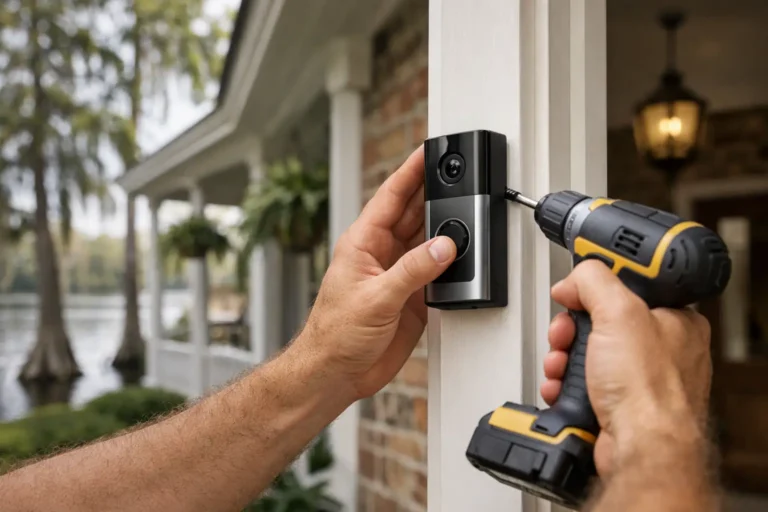
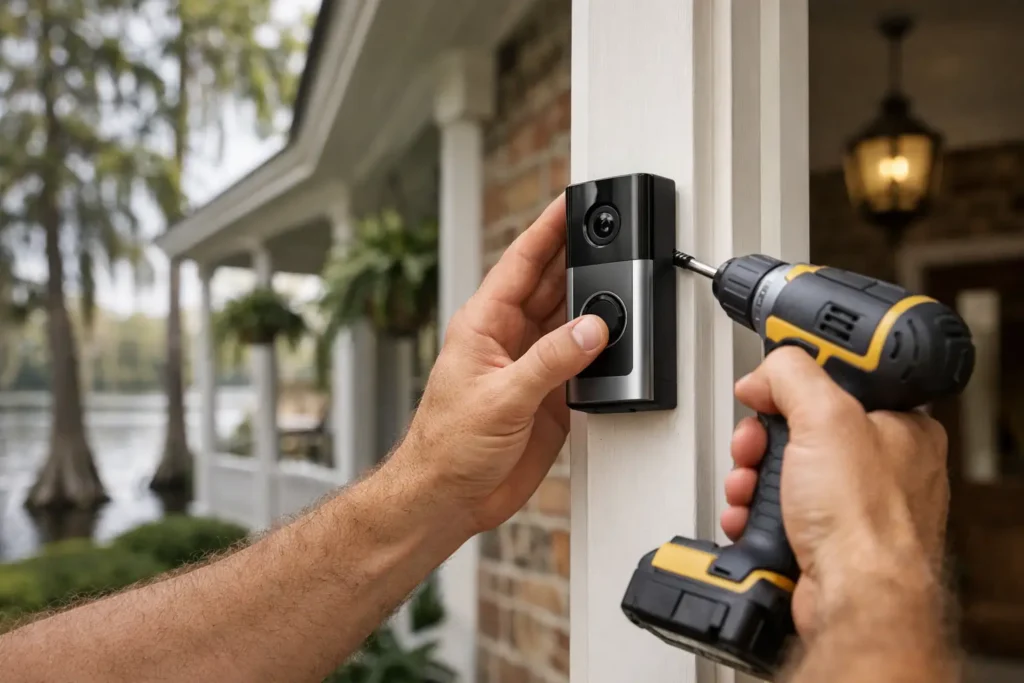
Mount the backplate securely to a solid surface. Wood trim and masonry require different anchors, and a loose plate can shift the camera angle over time. Use a leveling tool so the device is positioned correctly. If the camera needs to look left or right toward a walkway, install an approved angled mount rather than improvising with washers or wood blocks.
Connect the wiring according to the manufacturer’s instructions, attach the doorbell, and restore power. Then connect the device to your Wi-Fi network through its app. Test the doorbell button, live video, two-way audio, recorded clips, motion alerts, and indoor chime operation before considering the job finished.
Pay attention to the view at different times of day. Direct afternoon sun, porch lights, reflective windows, and vehicle headlights can affect image quality. Night vision should also be tested after dark, especially if landscaping, seasonal decorations, or screen doors block the view.
Set Alerts for Real Life, Not Constant Interruptions
A video doorbell is meant to provide awareness, not keep your phone buzzing all day. Use activity zones and motion sensitivity settings to focus on the path to your door and the package drop area. If the camera sees a busy street, reduce or exclude that portion of the frame when the system allows it.
Choose which events deserve an immediate notification. Many households want alerts for a doorbell press, a person approaching, and a package delivery, while general motion may be less urgent. The best settings depend on your household routine, the amount of nearby traffic, and whether you work from home.
For business owners, a doorbell camera at an office, shop, or service entrance can offer another layer of visibility. Still, it should complement rather than replace a complete commercial security plan. Camera coverage, intrusion protection, access management, and professionally monitored alarms each serve different purposes.
Professional Installation Can Prevent Small Problems From Becoming Big Ones
Do-it-yourself installation can be appropriate for a simple battery unit on a home with strong Wi-Fi and a clear mounting surface. But a professionally installed solution is often the better fit when wiring is uncertain, the entrance has limited coverage, multiple cameras are planned, or the video doorbell needs to work with an alarm system and smart home controls.
Professional installers can evaluate sight lines, mounting materials, electrical requirements, Wi-Fi coverage, and app setup in one visit. Just as important, they can show you how the system works and remain available when you need service or adjustments. That personal support matters when your security technology is part of daily family life.
Alarm Center Security has served Louisiana communities since 1985, with more than 10,000 installed systems. For homeowners who prefer a tailored security plan instead of a box-and-app approach, professional guidance can help ensure the doorbell camera supports the rest of the home’s protection.
Keep Your Doorbell Camera Working Well
After installation, check the lens periodically for dust, spider webs, pollen, and water spots. Trim plants that grow into the camera’s field of view, and make sure porch decorations do not block the lens. Review app permissions and notification settings after changing phones or adding household members.
Test the camera and chime every few months, especially before travel or hurricane season. If your system uses battery power, build charging checks into your household routine. A camera that is offline, poorly aimed, or buried in alerts cannot provide the confidence you expected.
The best doorbell camera setup is one you can count on without having to think about it every day. When the view is clear, alerts are useful, and support is available when you need it, your front door becomes a more informed and reassuring part of your home’s protection.