That chirping keypad or low-battery notification is easy to put off until tomorrow. But if you are asking, “how long do alarm batteries last?” the better time to address it is before the next power outage, storm, or unexpected emergency.
An alarm battery is not there to run your system every day. It is there to keep essential security equipment operating when utility power is interrupted. For Louisiana homes and businesses, where severe weather can cause outages with little notice, a healthy backup battery is a small component with a major role in your overall protection.
How Long Do Alarm Batteries Last?
Most main control-panel batteries in professionally installed security systems last about three to five years. These are commonly sealed lead-acid batteries that recharge continuously while the system has normal AC power. Some may last longer, but waiting for a battery to fail is not a dependable maintenance plan.
Wireless devices use separate batteries, and their expected life can vary more widely. Door and window contacts, motion detectors, glass-break sensors, key fobs, and wireless keypads may use lithium or alkaline batteries that can last anywhere from two to seven years. A device that reports frequently, sits in a high-traffic area, or operates in extreme temperatures may need replacement sooner.
The date of installation matters, but it is not the only factor. A battery can be physically intact and still have less capacity than it did when new. That means it may appear normal during day-to-day operation yet provide only limited backup time during an outage.
Battery Life Depends on the Equipment and Conditions
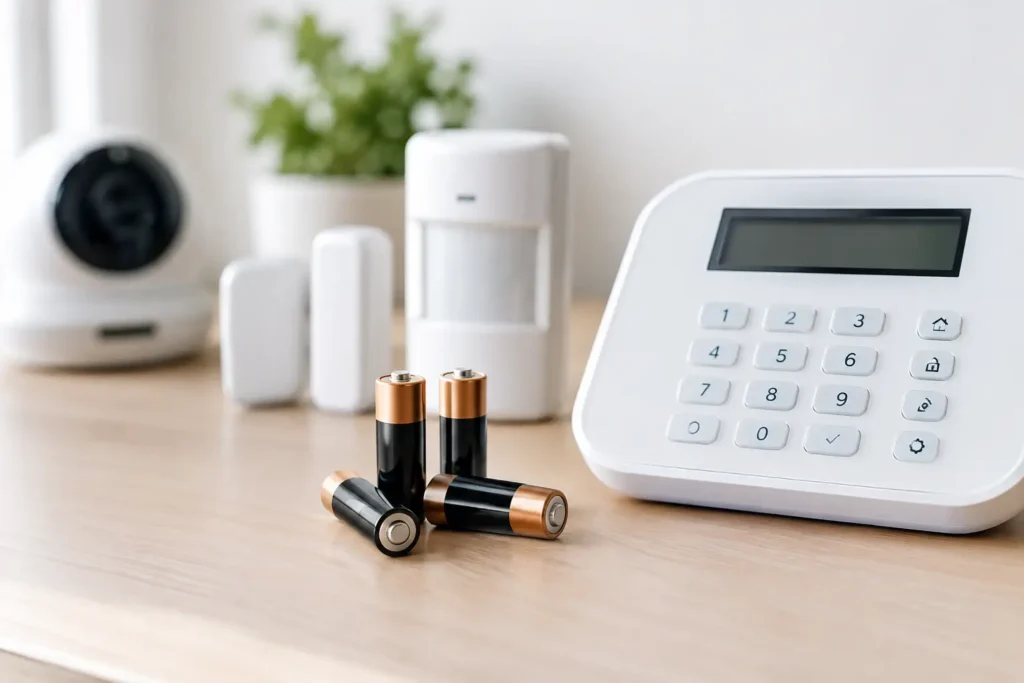
Your security system may have more than one battery to maintain. The main alarm panel has a backup battery, while wireless sensors have their own power source. Smoke detectors, carbon monoxide detectors, cameras, smart locks, and cellular communicators may also have separate battery or power requirements depending on the equipment installed.
A main panel battery is designed to keep the control panel and communication equipment working for a limited period during a power outage. How long it can actually run depends on the size and age of the battery, the number of connected devices, and whether the system is transmitting alarms or status updates. A fresh battery does not guarantee power for an extended outage, but an aging battery may provide far less time than expected.
Louisiana heat is another consideration. Batteries do not perform their best in prolonged high temperatures, especially when equipment is installed in an attic, garage, utility room, or other non-climate-controlled space. Humidity, corrosion, frequent power interruptions, and lightning-related electrical events can also affect the system and its backup components.
For commercial systems, battery condition deserves special attention. Businesses may rely on alarm panels for intrusion detection, access control, opening and closing reports, and monitored fire or life-safety devices. A low-battery condition can create unnecessary service issues and reduce confidence in the system when the business needs it most.
Signs Your Alarm Battery May Need Replacement
The most common warning is a trouble message on the keypad or mobile app. Depending on the system, you may see “low battery,” “battery trouble,” “system low battery,” or a device-specific alert identifying a sensor that needs attention. Some keypads beep periodically until the condition is acknowledged and corrected.
A low-battery warning after a brief outage can sometimes clear after the system has had time to recharge. If the message remains for a day or two after normal power is restored, the battery may no longer hold a sufficient charge. Repeated alerts are a clear reason to schedule service.
You may also notice that a wireless sensor becomes intermittent, stops reporting, or generates a low-battery notification. Do not simply remove the battery and leave the device unpowered. A door contact or motion detector with a dead battery may no longer communicate with the panel, leaving a gap in protection that may not be obvious during daily routines.
If your system is more than three years old and you do not know when the backup battery was last replaced, a preventive inspection is often the simplest choice. It is especially worthwhile before hurricane season or after a series of outages.
Why a Low Battery Is More Than an Annoying Beep
When utility power is available, an alarm system can often continue operating with a weak backup battery. That is why people sometimes assume the warning is not urgent. The concern is what happens when AC power goes away.
Without a dependable panel battery, the system may shut down shortly after an outage begins. That can affect the alarm panel, keypad, connected sensors, and communication path to the monitoring center. If a cellular communicator or internet equipment depends on backup power, the system’s ability to send signals may also be affected.
This does not mean every low-battery message indicates that your home or business is unprotected at that exact moment. It does mean the backup layer of your protection needs attention. A professionally monitored system works best when each part of the system, including its reserve power, is maintained as designed.
Should You Replace the Battery Yourself?
Replacing a sensor battery can be straightforward when you know the correct battery type and how to open the device without damaging it. Still, every system is different. Opening a wireless sensor incorrectly can trigger a tamper condition, and installing the wrong battery can cause poor performance or damage.
The main alarm-panel battery deserves more caution. It must have the proper voltage, capacity, terminal style, and physical size for the control panel. A battery that fits inside the enclosure is not necessarily the right replacement. The panel may also need to be tested after replacement to confirm that it is charging correctly and that the trouble condition clears.
For many customers, professional service is the more reliable route. A technician can identify whether the alert is coming from the main panel, a particular wireless device, a keypad, or another part of the system. They can also check for loose wiring, corrosion, charging problems, or communication issues that a new battery alone will not fix.
A Simple Maintenance Plan for Homes and Businesses
Treat alarm batteries as scheduled maintenance rather than an emergency repair. Keep a record of when the main panel battery was installed, and plan to have it evaluated around the three-year mark. Replace wireless-device batteries promptly when the system reports a low level, rather than waiting for the device to stop working.
It also helps to test your system periodically through the proper process with your monitoring provider. Before testing, notify the monitoring center so an intentional test signal is not handled as an emergency. Confirm that the panel communicates properly and that key devices respond as expected.
After a major storm or extended outage, check the keypad for trouble conditions once power returns. If the system is beeping, shows a low-battery message, or displays a communication trouble alert, arrange service rather than silencing the warning and forgetting it.
Get Local Help Before the Next Outage
Security equipment should give you confidence, not another maintenance task to guess through. Alarm Center Security can help Louisiana homeowners and business owners identify battery issues, replace the correct components, and verify that the system is ready to communicate when it matters.
A battery warning may seem small, but addressing it now helps protect the reliability you count on when the lights go out.