A camera mounted in the wrong place can create a false sense of security. It may capture a door opening but not the person entering, show a parking lot without a readable license plate, or miss the register where a dispute occurred. This commercial security camera planning guide helps Louisiana business owners plan coverage around real risks, daily operations, and the evidence they may need later.
A dependable camera system is not simply a collection of devices on walls and ceilings. It is part of how you protect employees, customers, inventory, equipment, and your ability to keep operating after an incident. The right plan begins before installation, with a clear look at what needs protection and what information each camera must provide.
Commercial Security Camera Planning Guide: Start With Risk
Walk through your property as if you were arriving for the first time, closing after dark, receiving a delivery, or responding to an alarm. Each perspective reveals different priorities. A retail store may need close coverage of entrances, checkout counters, stockrooms, and high-value displays. A warehouse may need to watch loading docks, exterior gates, equipment areas, and wide interior aisles. An office may focus on entry points, reception, server rooms, and restricted records areas.
Think beyond theft. Cameras can help document vandalism, investigate accidents, verify deliveries, review access after hours, and resolve disagreements about customer service or employee procedures. The goal is not to watch every square foot at the highest possible detail. It is to create purposeful coverage where it provides the most value.
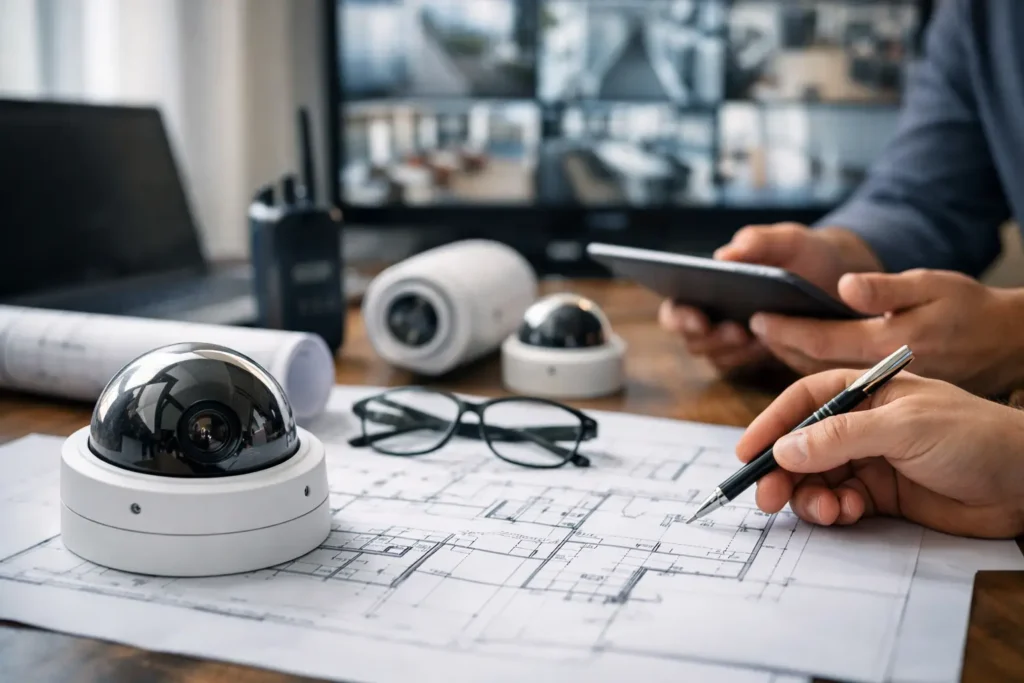
Start with a simple site sketch that marks doors, windows, gates, registers, storage rooms, parking areas, and any locations where employees work alone. Then identify blind spots, poor lighting, and paths people use to enter or leave the property. A professional walk-through is especially valuable for properties with multiple buildings, outdoor areas, unusual layouts, or active construction plans.
Decide What Each Camera Must See
Not every camera has the same job. A wide-angle camera can show activity across a lobby or parking area, but it may not capture facial detail at a distance. A tighter view at an entrance can provide a clearer image of a person passing through. Planning works best when you define the needed result before selecting equipment.
For every proposed camera location, ask a practical question: Do you need to detect movement, recognize a familiar person, identify an unfamiliar person, read a badge, or capture a license plate? The answer affects camera placement, lens selection, resolution, lighting, and recording settings.
Entry and exit cameras should be positioned to capture faces as people approach, rather than only the tops of heads after they are inside. Cameras at registers and transaction areas should provide a clear view of the counter and hands without interfering with customer privacy. Exterior cameras need useful views of approach routes, not just the building wall or a broad stretch of empty pavement.
Avoid placing cameras directly toward bright windows, vehicle headlights, or the rising and setting sun whenever possible. Modern cameras can compensate for difficult lighting to a degree, but careful placement still produces better footage. At night, the lighting around doors, dumpsters, loading areas, and parking lots deserves the same planning attention as the camera itself.
Plan Coverage for Daily Operations
A camera system should support the way your business actually functions. Review opening and closing routines, shift changes, cash handling, deliveries, service calls, and access to sensitive areas. These are moments when visibility is often most useful.
For example, a restaurant may benefit from views of the front entrance, point-of-sale areas, dining room, back door, cooler access, and dumpster area. A medical or professional office may need reception and exterior coverage while limiting cameras in private spaces. A contractor’s yard may need coverage of gates, trailers, tools, and fuel storage, with reliable nighttime visibility.
Privacy and employee trust matter. Cameras should be installed for legitimate business protection and in accordance with applicable laws and workplace policies. Avoid private areas such as restrooms and changing rooms. Be clear with employees about the purpose of the system, who can access footage, and how long recordings are retained. A well-planned system supports accountability without making the workplace feel unnecessarily intrusive.
Choose Storage That Matches Your Needs
Footage is only helpful if it is available when you need it. Storage planning should account for the number of cameras, image quality, hours of recording, motion activity, and how long your business needs to retain video. Continuous recording may be appropriate for high-risk locations, while motion-based recording can help conserve storage in quieter areas.
There is a trade-off between image quality, recording duration, and cost. Higher-resolution video can make identification easier, but it uses more storage and may require stronger network capacity. Keeping footage for a longer period can be valuable when incidents are discovered days or weeks later, but the retention period should be realistic for your operation and budget.
Remote access is another important consideration. Business owners often want to check a live view, review an event, or confirm that a location is secure from a phone or computer. That convenience depends on a properly configured system, dependable internet service, secure user accounts, and clear permissions. Managers may need access to certain areas, while other users should only view the locations relevant to their job.
Build for Reliability, Not Just Installation Day
Commercial camera planning should include the equipment and infrastructure behind the cameras. Cabling routes, power availability, network capacity, weather exposure, mounting surfaces, and backup power can all affect system performance. A camera may look fine when first installed yet become unreliable if its connection, power source, or mount is not suited to the environment.
Outdoor equipment must handle Louisiana heat, humidity, heavy rain, and changing light conditions. Cameras around entrances and parking areas should be mounted high enough to discourage tampering while still providing the angle needed for identification. Indoors, installation should avoid blocking sprinklers, lighting, signage, or normal business activity.
It is also wise to plan for growth. A new register area, expanded warehouse space, additional gate, or second location can change your security needs quickly. Selecting a system that can accommodate additional cameras and users can prevent a costly redesign later. Professional installation helps ensure the system is organized, labeled, tested, and ready for future service.
Connect Cameras With Your Broader Security Plan
Cameras are strongest when they complement intrusion detection, access control, monitored alarms, and opening or closing procedures. If an alarm event occurs, video can help provide context. If a door is opened after hours, a camera can help verify who entered and what happened next.
This does not mean every business needs every security feature. A small office with limited hours may need a focused camera system and monitored intrusion protection. A larger facility with multiple employees, deliveries, and restricted areas may benefit from coordinated cameras, access management, and after-hours alerts. The right design depends on the property, the risks, and the people responsible for responding.
Work With a Local Security Professional
Online camera packages can appear simple until a business owner has to determine coverage angles, run cable, configure recording, secure remote access, and troubleshoot a missed event. A professionally designed system replaces guesswork with a plan built around your property and operations.
Alarm Center Security has helped protect Louisiana homes and businesses since 1985, with more than 10,000 installed systems. A local team can assess your site, recommend practical camera locations, handle installation, and remain available as your needs change. That ongoing support matters when a camera needs adjustment, a new employee needs access, or your business expands.
Before purchasing equipment, schedule a site review and walk through the moments that matter most at your business. The best camera plan is one your team can use confidently, your manager can check when needed, and your business can rely on when an unexpected event puts people or property at risk.