A business can lose more than inventory when security falls short. A forced door, missing key, after-hours trespasser, or unanswered alarm can interrupt operations, unsettle employees, and cost valuable time. The best security upgrades for businesses are the ones that address the real risks at your property while making daily opening, closing, and management easier.
For Louisiana business owners, that often means moving beyond a basic alarm panel or a few standalone cameras. A professionally designed system can connect intrusion detection, video surveillance, access control, and 24/7 monitoring into one practical plan. The right combination depends on your building, staff size, hours, inventory, and the level of visibility you need when you are away.
Start With a Security Assessment, Not a Product List
Every business has different pressure points. A retail store may need better coverage at the front door, cash wrap, stockroom, and rear delivery entrance. An office may be more concerned with employee access, expensive equipment, and after-hours activity. A warehouse, contractor yard, or restaurant may need greater protection around exterior doors, gates, and storage areas.
Before choosing upgrades, walk through the property as if you were opening and closing it after dark. Identify entrances, windows, rear doors, employee-only areas, blind spots, and locations where valuables are stored. Also consider everyday routines: Who has keys? Who arms the system? How are vendors admitted? Does anyone know when a door is propped open?
A professional assessment turns those questions into a tailored design. It also helps prevent a common mistake: spending on equipment that does not address the actual vulnerability. More cameras are not always the answer if the main issue is uncontrolled access through a side door.
Upgrade to Professionally Monitored Intrusion Detection
A local alarm or a self-monitored notification can be useful, but neither replaces a professionally monitored system. When an alarm activates during a break-in, fire event, or other emergency, trained monitoring professionals can follow established response procedures even if you are in a meeting, asleep, traveling, or unable to answer your phone.
Modern intrusion protection can include door and window contacts, motion detectors, glass-break sensors, panic buttons, and specialty sensors selected for the property. For example, motion detection may be appropriate for an open warehouse, while glass-break protection can provide another layer for a storefront with large front windows.
There are trade-offs to consider. A system set too aggressively may create false alarms, while one designed with too few detection points can leave gaps. Professional installation and careful programming matter because the system has to work reliably without making daily operations frustrating for your team.
Choose Cellular Communication for Added Reliability
If your existing alarm system relies only on a traditional phone line or internet connection, cellular communication is a meaningful upgrade. It provides another path for alarm signals when a phone line is cut, internet service is interrupted, or equipment fails.
This is especially valuable for businesses that close overnight or operate at locations where staff cannot quickly check a system problem. Cellular service does have an ongoing cost, but the added reliability is often worth it for a business that depends on monitored protection.
Add Business Security Cameras Where They Matter Most
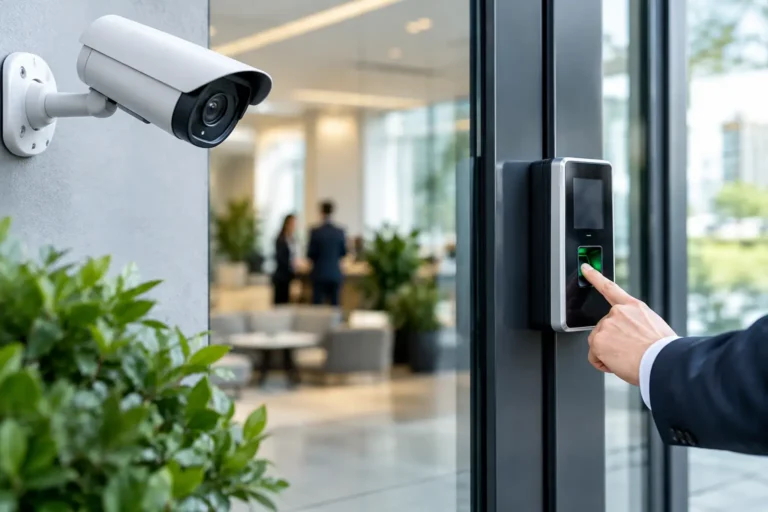
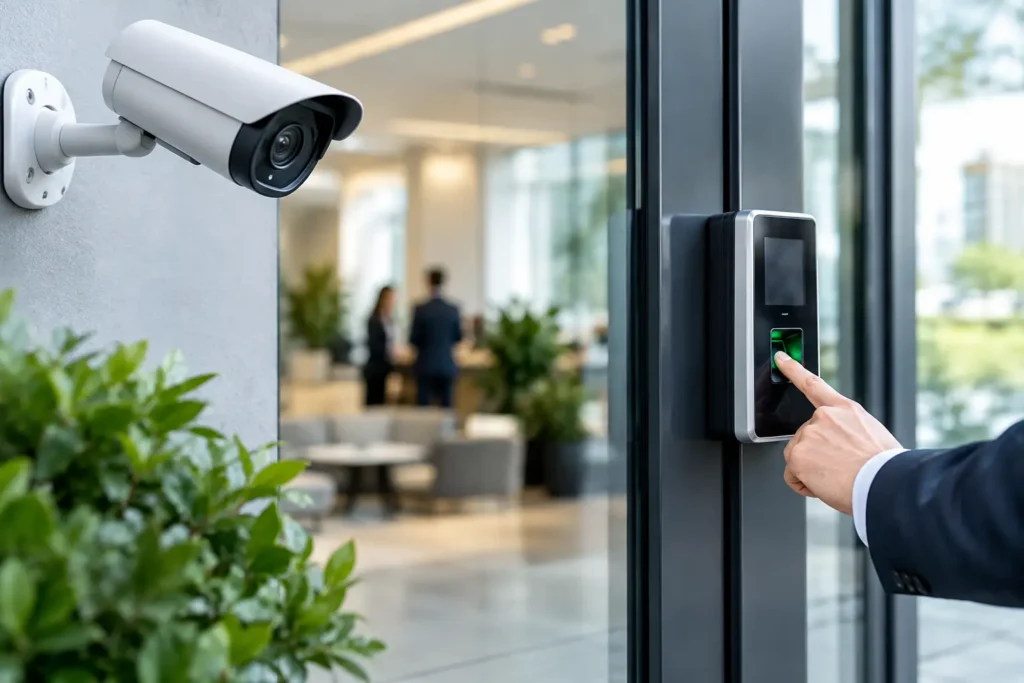
Security cameras give business owners a clear view of activity at the property, but placement matters more than camera count. High-priority areas usually include primary entrances, rear doors, cash-handling areas, loading zones, parking lots, inventory rooms, and exterior gates.
A professionally installed camera system should provide useful images in the conditions your property actually faces. That may mean wide-angle coverage for a lobby, detailed views at a register, infrared night vision outside, or cameras positioned to avoid glare from sun and parking-lot lighting. A camera mounted too high, aimed poorly, or blocked by shelves will not provide the evidence or awareness you need.
Remote video access is one of the most practical upgrades for busy owners. From a secure mobile app or computer, authorized users can check live video, review clips, and confirm that doors are closed after hours. If an alarm or activity notification comes through, video can help you quickly understand whether it appears to be a real concern.
Video verification can also reduce uncertainty when something happens. Instead of driving across town because an exterior motion detector activated, you may be able to view the area remotely and make a better-informed decision. Cameras should support your response plan, not create a false sense that someone is watching every screen around the clock.
Use Access Control to Replace Unmanaged Keys
Traditional keys are easy to copy, hard to track, and expensive to rekey when an employee leaves or a key goes missing. Access control is among the best security upgrades for businesses with multiple employees, sensitive areas, or frequent staff changes.
With electronic access control, employees can use credentials such as key fobs, cards, mobile credentials, or keypad codes. Managers can decide who can enter specific areas and when. A front-office employee may need access during business hours, while a manager may be authorized for early-morning or late-night entry.
The advantage is accountability. Access events can show when a credential was used at a protected door, giving management useful visibility without relying on a key sign-out sheet. If a credential is lost or an employee separates from the company, it can be removed from the system without changing every lock.
Access control works best when it matches the way your company operates. A small office may only need one controlled exterior door. A larger facility might need separate permissions for offices, storage rooms, server closets, and employee entrances. Avoid overcomplicating the system. The goal is to make authorized access simple while limiting unnecessary access to sensitive areas.
Improve Opening and Closing Accountability
Many security issues happen during routine transitions, not dramatic break-ins. A door may be left unlocked, the alarm may not be armed, or a closing employee may be left alone in a vulnerable situation. Opening and closing reports give owners and managers a better way to stay informed.
With properly configured business security tools, authorized contacts can receive notifications when the system is armed or disarmed, when a protected door opens after hours, or when an alarm event occurs. These reports can be particularly helpful for businesses with several managers, changing shifts, or multiple locations.
Notifications should be purposeful. Too many alerts train people to ignore them, while the right alerts create useful awareness. Work with your security provider to decide which events require immediate notice and which can be included in a daily report.
Protect the Perimeter and Exterior Areas
Interior protection is essential, but your property perimeter deserves attention too. Exterior cameras, monitored gates, door contacts, lighting, and clearly defined entry points can discourage unwanted activity before someone reaches the building.
Lighting is often one of the simplest improvements. Dark parking areas, rear exits, dumpster enclosures, and delivery zones can create opportunities for theft, vandalism, and unsafe employee conditions. Lighting should support camera coverage rather than wash out the image or leave harsh shadows.
For businesses with fenced yards, vehicles, tools, or outdoor inventory, consider how people enter and exit the site. Gate access control and camera coverage can help document activity and reduce the chance that an unsecured gate becomes the easiest route onto the property. Outdoor equipment must be selected and installed for heat, rain, humidity, and other local conditions.
Make Sure Your Team Knows How to Use the System
The best equipment cannot help if employees do not understand it. Every authorized user should know how to arm and disarm the system, respond to an accidental alarm, use assigned access credentials, and report lost keys or fobs. Managers should know how to update users and review the information that matters to them.
This is where professional installation and local support make a difference. A security provider should not simply mount devices and leave. Training, clear instructions, testing, and responsive service help your staff use the system confidently from the first day forward.
It is also wise to review your security plan at least once a year and after major changes. New employees, remodeled spaces, expanded inventory, additional entrances, and changed business hours can all create new security needs. What worked for a small team two years ago may no longer be enough.
Choose a Security Partner That Will Be There After Installation
Security is not a one-time purchase. Systems need monitoring, periodic testing, account updates, repairs, and thoughtful upgrades as your business changes. Look for a provider that asks practical questions about your operation, explains options clearly, and can support you when you need help.
Alarm Center Security has served Louisiana customers since 1985 with professionally installed and monitored systems designed around each property. For a business owner, that local experience means having a real team to call for system design, training, service, and ongoing support.
A safer workplace begins with a clear look at where your business is exposed and what your team needs to feel prepared. Schedule a professional security assessment, ask questions, and choose upgrades that protect the people and operations you have worked hard to build.