A small office can be especially vulnerable after business hours. One unlocked back door, a missed motion alert, or an employee key that was never returned can put equipment, records, and the people who rely on your business at risk. The best security features for small offices give business owners a clear view of what is happening at the property and a reliable response when something is wrong.
For many Louisiana businesses, security is not about adding every available device. It is about building a practical system around the doors, rooms, schedules, and daily routines that matter most. A professional assessment can identify weak points and create protection that is straightforward for employees to use.
Best Security Features for Small Offices That Work Together
The strongest office security systems combine detection, visibility, control, and professional support. Each feature has a purpose, but their value increases when they work as one connected system.
Professionally Monitored Intrusion Alarms
An intrusion alarm remains the foundation of commercial security. Door contacts notify the system when exterior doors open, while motion detectors can protect larger interior areas after closing. Glass-break sensors may be a smart addition for offices with ground-level windows or glass entry doors.
A monitored alarm provides more than a loud siren. When an alarm is triggered, a professional monitoring center can respond according to the plan established for your business. That may include contacting designated employees and dispatching emergency services when appropriate. If a break-in happens while you are away, you are not relying on a neighbor or a passerby to notice it.
The right design depends on the office. A small professional suite may need protection at the front entrance, rear exit, and one central hallway. An office with storage rooms, inventory, or sensitive client files may need additional interior coverage. The goal is to secure the places that create the greatest risk without making the system difficult to arm at the end of the day.
Security Cameras With Remote Viewing
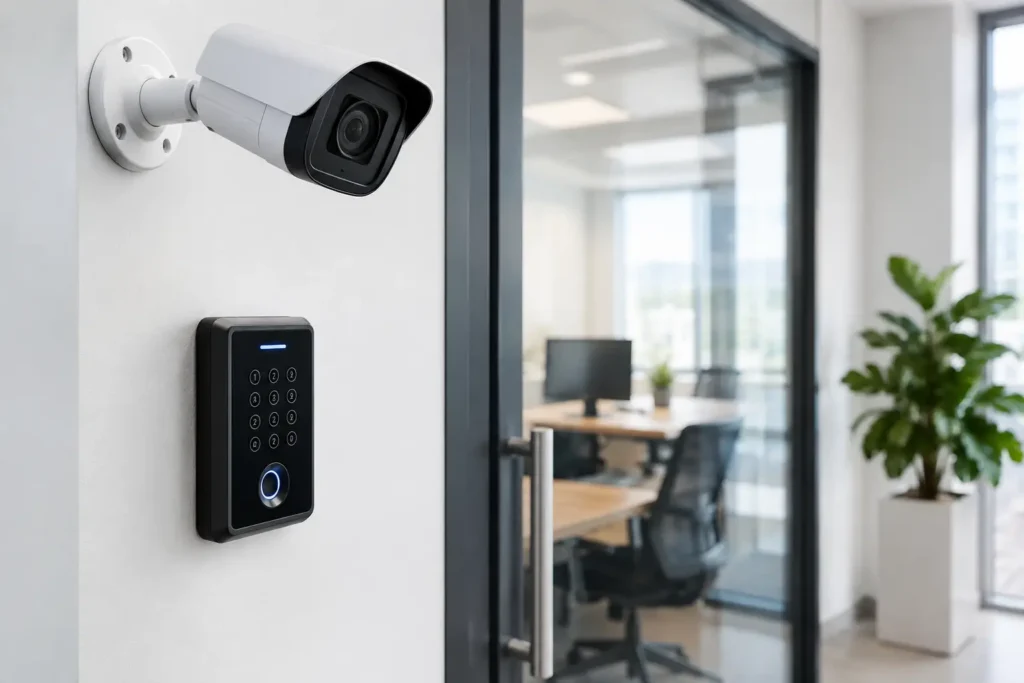
Cameras help business owners verify activity rather than guess what happened. A camera at the main entrance can show who arrived, when they entered, and whether a door was left open. Coverage near parking areas, back doors, loading zones, or cash-handling locations can add another layer of accountability.
Remote viewing is particularly helpful for owners who manage more than one responsibility at a time. From an authorized mobile device, you can check on an after-hours delivery, confirm that the office opened on time, or review an alert without driving across town. This convenience should never replace good security procedures, but it can help you make faster, better-informed decisions.
Camera placement matters as much as camera quality. A camera aimed directly into bright outdoor light may not capture useful details. One placed too high or too far from a doorway may miss faces. Professional installation helps ensure cameras cover the areas that matter, have a dependable power connection, and are positioned with privacy and image quality in mind.
Access Control for Doors and Employee Entry
Traditional keys are simple, but they are difficult to manage. Keys can be copied, misplaced, or kept by former employees without anyone realizing it. Access control gives a small office more control over who can enter and when.
Depending on the system, employees may use credentials such as key fobs, cards, codes, or mobile access. When staffing changes, access can be removed without rekeying every door. You can also limit credentials to certain doors or time periods, which is useful when cleaning crews, contractors, or part-time employees need access outside normal business hours.
Access control is not necessary for every single-door office. For a very small team, a monitored alarm with individual user codes may be enough. But offices with multiple employees, valuable equipment, separate storage spaces, or frequent turnover often benefit from the visibility and control that managed entry provides.
Individual User Codes and Activity Reports
Every employee should have a personal alarm code rather than sharing one office code. This simple practice helps identify who armed or disarmed the system and when. It also makes administration easier when someone leaves the company because their code can be removed immediately.
Opening and closing reports can be useful for owners who are not always on-site. If the office is usually opened at 8:00 a.m. and nobody has disarmed the alarm by 8:30, you can check in before a missed opening affects customers. If the system was left disarmed after closing, a notification can prompt the right person to take action.
These reports should support employees, not create an atmosphere of distrust. Clear policies, consistent training, and respectful communication make security part of an orderly workplace routine.
Environmental Sensors for Property Protection
Not every office emergency involves an intruder. Water leaks, high temperatures, smoke, and carbon monoxide can cause serious disruption and expensive damage. Environmental sensors extend protection beyond burglary detection.
A water sensor placed near a water heater, break-room sink, ice maker, or plumbing line can provide early warning before a small leak becomes a damaged floor or a ruined storage area. Temperature sensors may be valuable where computers, medications, specialty products, or critical records need stable conditions. Smoke and carbon monoxide detection should be considered based on the building layout and local requirements.
These devices are often overlooked because they do not feel like traditional security equipment. For a small business, however, an early warning can prevent days of lost operations and a difficult insurance claim.
Mobile Alerts and Smart System Control
Business owners should be able to stay informed without being tied to the office. Mobile alerts can notify authorized users when an alarm is triggered, a protected door opens, or the system is armed or disarmed. Smart control tools can also allow approved users to manage the system remotely when needed.
Notifications should be tailored carefully. Too many alerts become noise, and important information can get ignored. A professional security provider can help establish sensible rules, such as sending a notification for a rear door opening after hours but not for every front-door arrival during a busy workday.
Remote control also needs safeguards. Limit administrator access to people who truly need it, use strong passwords, and remove former employees promptly. Convenience is valuable, but it should never weaken accountability.
How to Choose Small Office Security Features
Start with the property itself. Walk through the office as if you were arriving after hours. Which doors are hidden from the street? Where are valuable tools, devices, inventory, records, or cash stored? Is there a shared hallway, a rear service entrance, or an outdoor area that needs visibility? These details shape the right security plan.
Next, consider how your team works. An office with predictable weekday hours has different needs than a property with rotating staff, client appointments, vendors, and weekend access. A system should make daily opening and closing easier, not add confusion at the end of a long shift.
It also helps to think ahead. If you expect to add employees, move into a larger suite, or expand service hours, select a system that can grow with you. Starting with a well-designed alarm and camera system may make more sense than buying disconnected devices that are difficult to manage later.
Professional Installation Makes the Difference
A security system is only as dependable as its installation and ongoing support. Wireless devices can be useful in existing offices where running new wiring would be disruptive, while wired solutions may be appropriate in new construction or major renovations. Neither is automatically better. The right choice depends on the building, the coverage needed, and the plan for future expansion.
Professional installation also means employees receive clear instructions for everyday use. They should know how to arm and disarm the system, what to do if they accidentally trigger it, whom to contact for support, and how to follow opening and closing procedures. A system that feels confusing is more likely to be bypassed or used inconsistently.
For businesses across Louisiana, Alarm Center Security can design, install, and monitor a commercial security system based on the way your office actually operates. Local support matters when you need an adjustment, have a question about a device, or want to add protection as your business changes.
Before choosing equipment, schedule a walkthrough of your office and discuss the risks that concern you most. A clear plan for the front door, the back door, employee access, after-hours alerts, and emergency response can give your team confidence to focus on the work in front of them.